
Simple mod that lets you easily change menu button layouts.
HOW TO OPEN THE CONFIG
You can start out by going to your options and clicking on the button in the top left. This will open the config screen. You can also add that button to the main or pause menu as a shortcut. It's also possible to fully hide that shortcut button. If you decided to hide it but you still want to be able to access the config you can either do that through mod menu or by using the command /bettermenubuttons or /bmb
In the config screen you will be able to select which menu to edit (Main menu, Pause menu or Options menu)
Main menu

You can click any of the available positions, there you can select which button to move to this slot

You can also click on "Hide" to hide any of the buttons

Pause menu

Options menu

Custom buttons
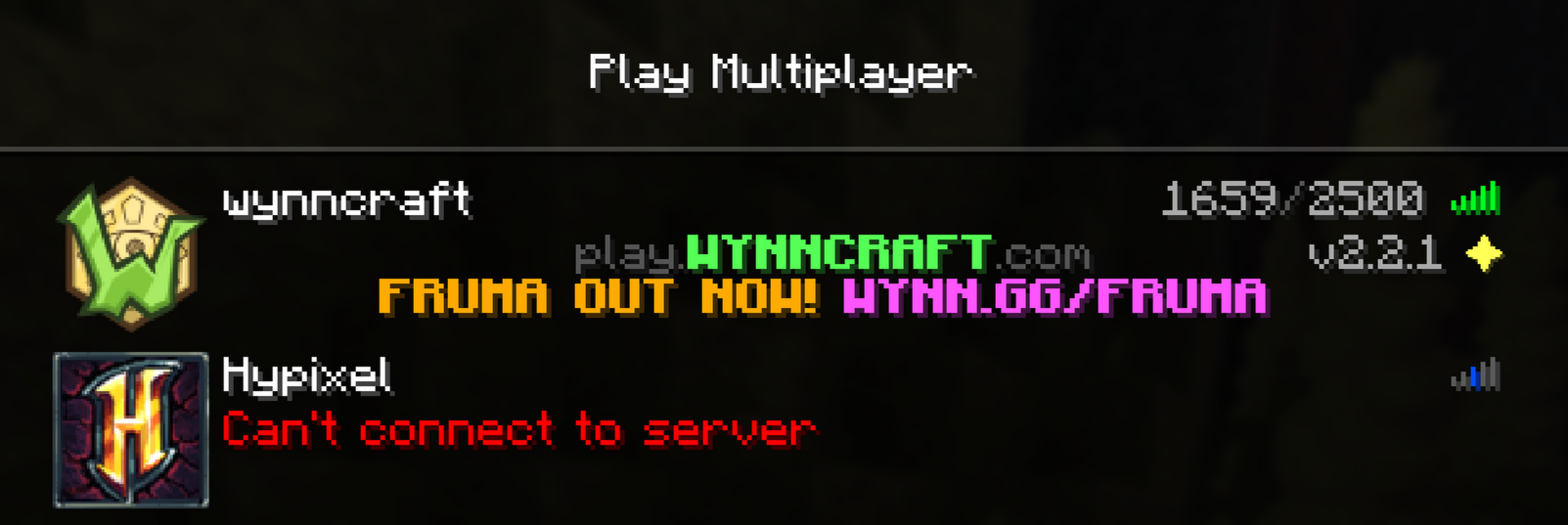
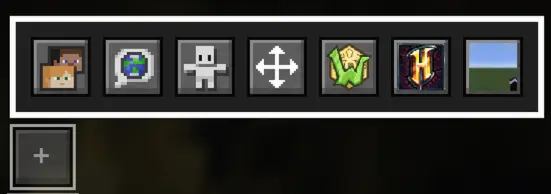
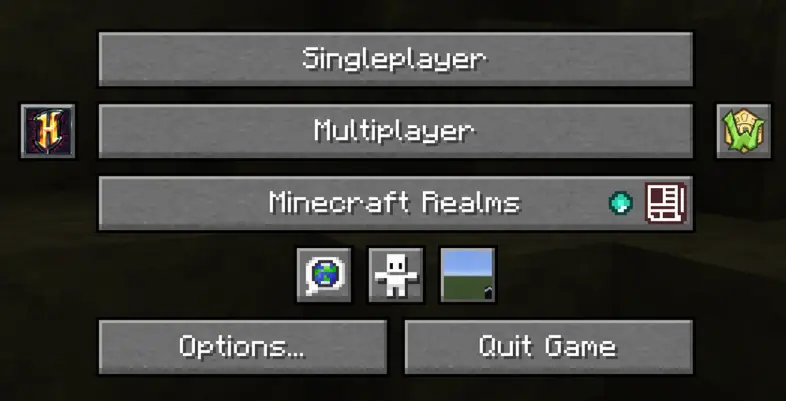
Custom buttons let you quickly join a server or a single player world!
How to add a custom button:
- Add the server to your server list

- Open the Better-menu-buttons config
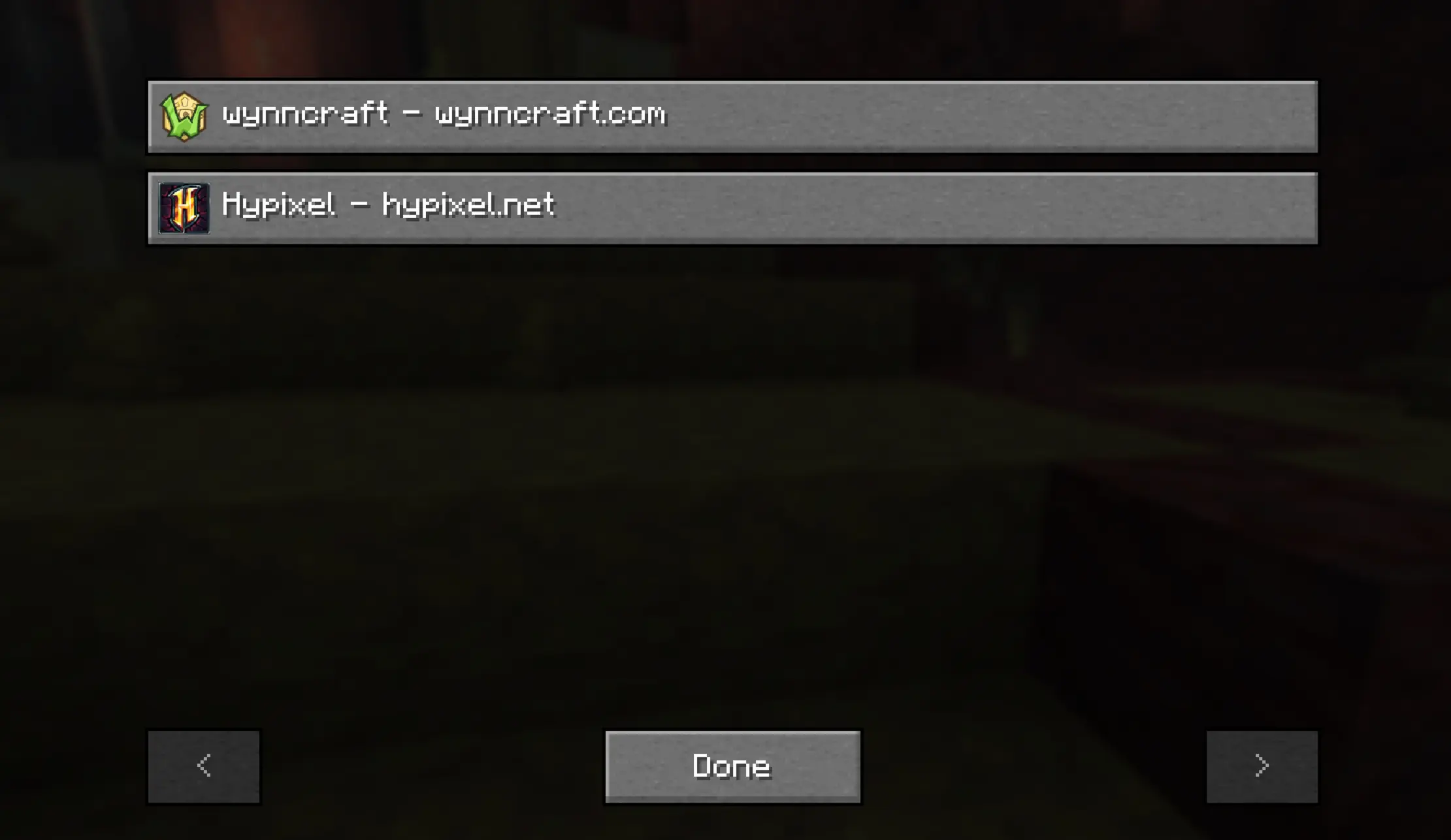
- Click on "Add Server" or "Add World"
- Select the server or single player world you want

- Move the button wherever you want


Mod menu support
If you are using mod menu the menu will automatically adapt. If youre using the icon setting in mod menu you can also move that!
How to Install Better menu buttons (Mod)
Better menu buttons by JulianH06 is verified for Fabric, Forge, Neoforge, Quilt across Minecraft versions 26.2, 26.3-snapshot-1, 26.3-snapshot-2, 26.3-snapshot-3 (latest release: 1.1.0-quilt-26.3-snapshot3, file size: 120 KB). Follow the steps below to install it safely from ModCraft.tv:
- Click the Download button above and select your Minecraft version (26.2, 26.3-snapshot-1, 26.3-snapshot-2, 26.3-snapshot-3) and platform (Fabric, Forge, Neoforge, Quilt).
- Make sure you have the compatible loader or environment installed for Fabric, Forge, Neoforge, Quilt.
- Move the downloaded Better menu buttons file into your Minecraft
.minecraft/modsfolder and launch the game.
All Versions
+ Add Version


Added custom buttons to let you quickly join a server or a single player world!
## How to add a custom button:
- Add the server to your server list
- Open the Better-menu-buttons config
- Click on "Add Server" or "Add World"
- Select the server or single player world you want
- Move the button wherever you want
# Multi version support
Added support for 26.3-Snapshot-3 for Fabric and Quilt. Forge and Neoforge will also get this once they support 26.3
Added custom buttons to let you quickly join a server or a single player world!
## How to add a custom button:
- Add the server to your server list

- Open the Better-menu-buttons config
- Click on "Add Server" or "Add World"
- Select the server or single player world you want

- Move the button wherever you want


# Multi version support
Added support for 26.3-Snapshot-3 for Fabric and Quilt. Forge and Neoforge will also get this once they support 26.3
Added custom buttons to let you quickly join a server or a single player world!
## How to add a custom button:
- Add the server to your server list

- Open the Better-menu-buttons config
- Click on "Add Server" or "Add World"
- Select the server or single player world you want

- Move the button wherever you want


# Multi version support
Added support for 26.3-Snapshot-3 for Fabric and Quilt. Forge and Neoforge will also get this once they support 26.3
Added custom buttons to let you quickly join a server or a single player world!
## How to add a custom button:
- Add the server to your server list

- Open the Better-menu-buttons config
- Click on "Add Server" or "Add World"
- Select the server or single player world you want

- Move the button wherever you want


# Multi version support
Added support for 26.3-Snapshot-3 for Fabric and Quilt. Forge and Neoforge will also get this once they support 26.3
Added custom buttons to let you quickly join a server or a single player world!
## How to add a custom button:
- Add the server to your server list

- Open the Better-menu-buttons config
- Click on "Add Server" or "Add World"
- Select the server or single player world you want

- Move the button wherever you want


# Multi version support
Added support for 26.3-Snapshot-3 for Fabric and Quilt. Forge and Neoforge will also get this once they support 26.3
Added custom buttons to let you quickly join a server or a single player world!
## How to add a custom button:
- Add the server to your server list

- Open the Better-menu-buttons config
- Click on "Add Server" or "Add World"
- Select the server or single player world you want

- Move the button wherever you want


# Multi version support
Added support for 26.3-Snapshot-3 for Fabric and Quilt. Forge and Neoforge will also get this once they support 26.3


