
Drawing Datapack
This datapack adds Paint which can be used to draw things in 3D!
How to use
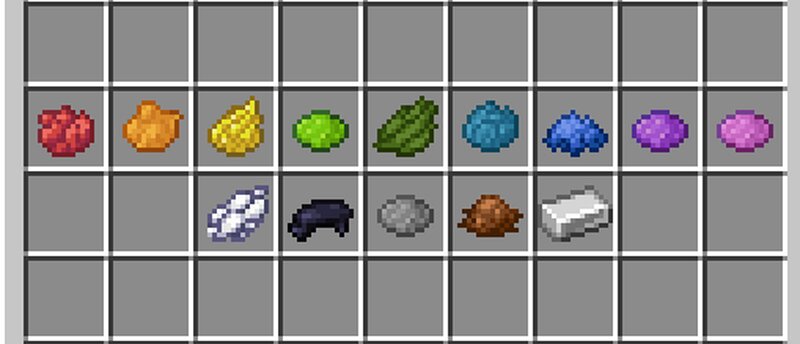
To get Paint, you need to drop any dye on a crafting table. This will create a Paint item of the same color.
To use Paint, you need to hold the item and press F (to move it to your offhand). This will start drawing 4 blocks away from you. You can move around and rotate your camera to form shapes and lines!
To get an Eraser, just drop an Iron Ingot on the crafting table. Then, you can hold it and press F again to remove paint in front of you. The radius of the eraser is around one block.
How to Install Drawing (Datapack)
Drawing by Silabear is verified for Datapack, Fabric, Forge, Quilt across Minecraft versions 1.16, 1.16.1, 1.16.2, 1.16.3, 1.16.4, 1.16.5, 1.17, 1.17.1 (latest release: mod, file size: 14 KB). Follow the steps below to install it safely from ModCraft.tv:
- Click the Download button above and select your Minecraft version (1.16, 1.16.1, 1.16.2, 1.16.3, 1.16.4, 1.16.5, 1.17, 1.17.1) and platform (Datapack, Fabric, Forge, Quilt).
- Make sure you have the compatible loader or environment installed for Datapack, Fabric, Forge, Quilt.
- Move the downloaded Drawing file into your Minecraft
.minecraft/saves/<world>/datapacksfolder and launch the game.
All Versions
+ Add Version
If installed on server, this mod will work for all players connected regardless of whether they have the mod installed.


