
Description
Gallery
Changelog
Versions
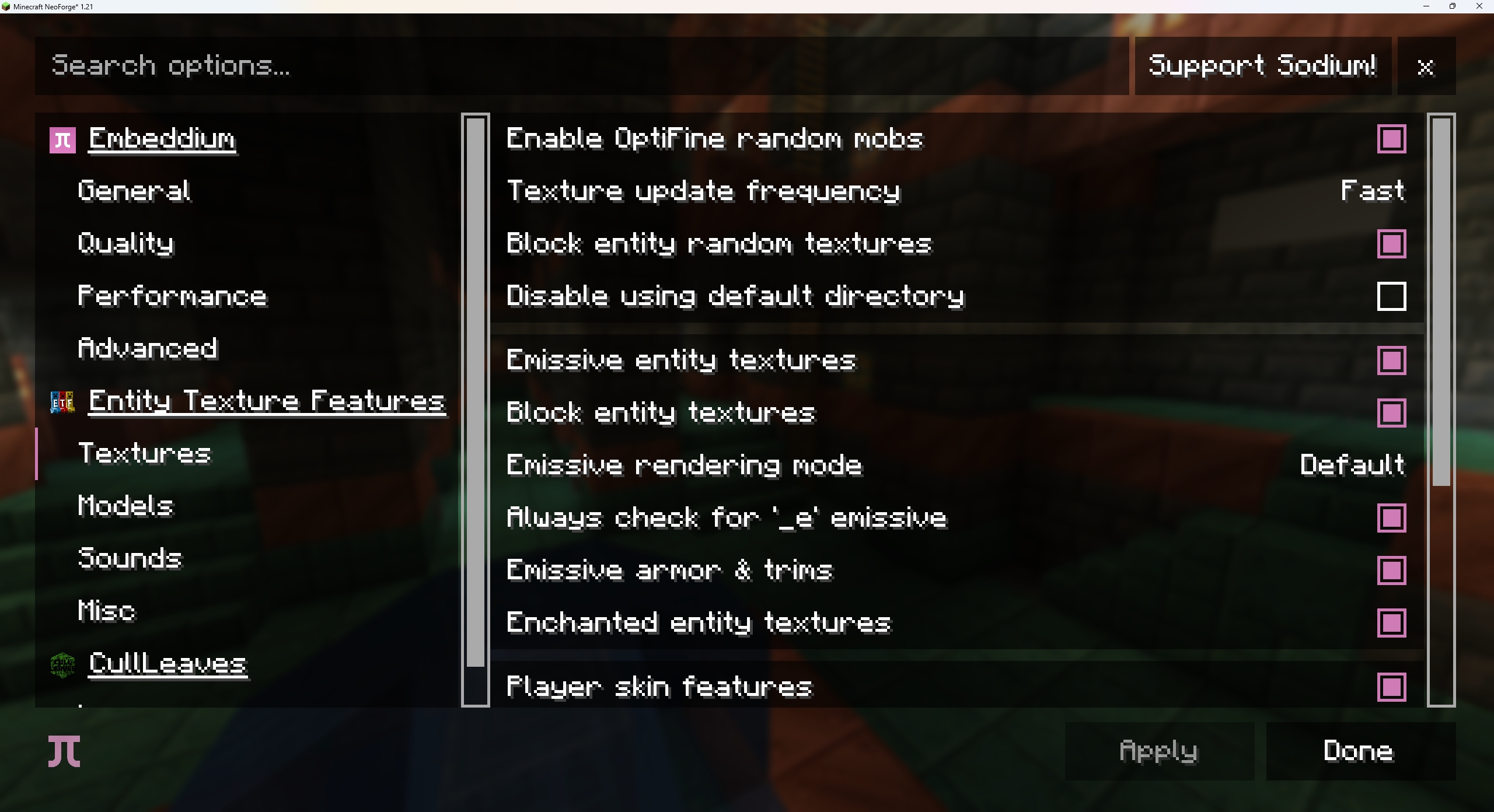
Add Embeddium options for a lot of mods.
Supported Mods:
- Entity Texture Features
- Entity Model Features
- Entity Sound Features
- Cull Leaves
- Ryoamic Lights
- Dynamic FPS

How to Install EmbeddiumUI (Mod)
EmbeddiumUI by DeeChael is verified for Fabric, Neoforge across Minecraft versions 1.20.6, 1.21 (latest release: 1.1.1, file size: 43 KB). Follow the steps below to install it safely from ModCraft.tv:
- Click the Download button above and select your Minecraft version (1.20.6, 1.21) and platform (Fabric, Neoforge).
- Make sure you have the compatible loader or environment installed for Fabric, Neoforge.
- Move the downloaded EmbeddiumUI file into your Minecraft
.minecraft/modsfolder and launch the game.
All Versions
+ Add Version
[1.1.1] EmbeddiumUI 1.1.1
by DeeChael on Jun 22, 2024
Download
Supported mods:
- [Ryoamic Lights](https://www.modrinth.com/mod/ryoamiclights)
- [Dynamic FPS](https://modrinth.com/mod/dynamic-fps)
[1.1.0] EmbeddiumUI 1.1.0
by DeeChael on Jun 22, 2024
Download
Supported Mods:
- [Entity Texture Features](https://modrinth.com/mod/entitytexturefeatures)
- [Entity Model Features](https://modrinth.com/mod/entity-model-features)
- [Entity Sound Features](https://modrinth.com/mod/esf)
- [Cull Leaves](https://modrinth.com/mod/cull-leaves)

[1.0.0] EmbeddiumUI 1.0.0
by DeeChael on Jun 02, 2024
Download
Supported mods:

- [Chunks Fade In](https://modrinth.com/mod/chunks-fade-in)
- [Continuity](https://modrinth.com/mod/continuity)
- [Dynamic FPS](https://modrinth.com/mod/dynamic-fps)
- [Fabric Skyboxes](https://modrinth.com/mod/fabricskyboxes)
- [Fabric Skyboxes Interop](https://modrinth.com/mod/fabricskyboxes-interop)
- [Lambda Better Grass](https://modrinth.com/mod/lambdabettergrass) & [Super Better Grass](https://www.curseforge.com/minecraft/mc-mods/super-better-grass)
- [Ryoamic Lights](https://modrinth.com/mod/ryoamiclights)
- [Title Tweaks](https://modrinth.com/mod/titletweaks)


