The Client For Bedwars
A Client for 1.8.9, it comes with free cosmetics provided by More Cosmetics, Replaymod, pre-loaded Shaders, and more!
A few things to know
- For Cosmetics Menu Press: M
- To Toggle Sprint Press: i
- To Toggle Zoom Press: C
You can adjust these settings in game.
- There currently is NO fullbright.
Enjoy!
Version 2.0 is OUT!
Download it HERE!
‖Everest Texture Pack?‖
A custom texturepack for Everest is in the works and will be released when its finished! Stay tuned for the pack release! Since I am busy with other projects it might take a while :)

Cosmetics!

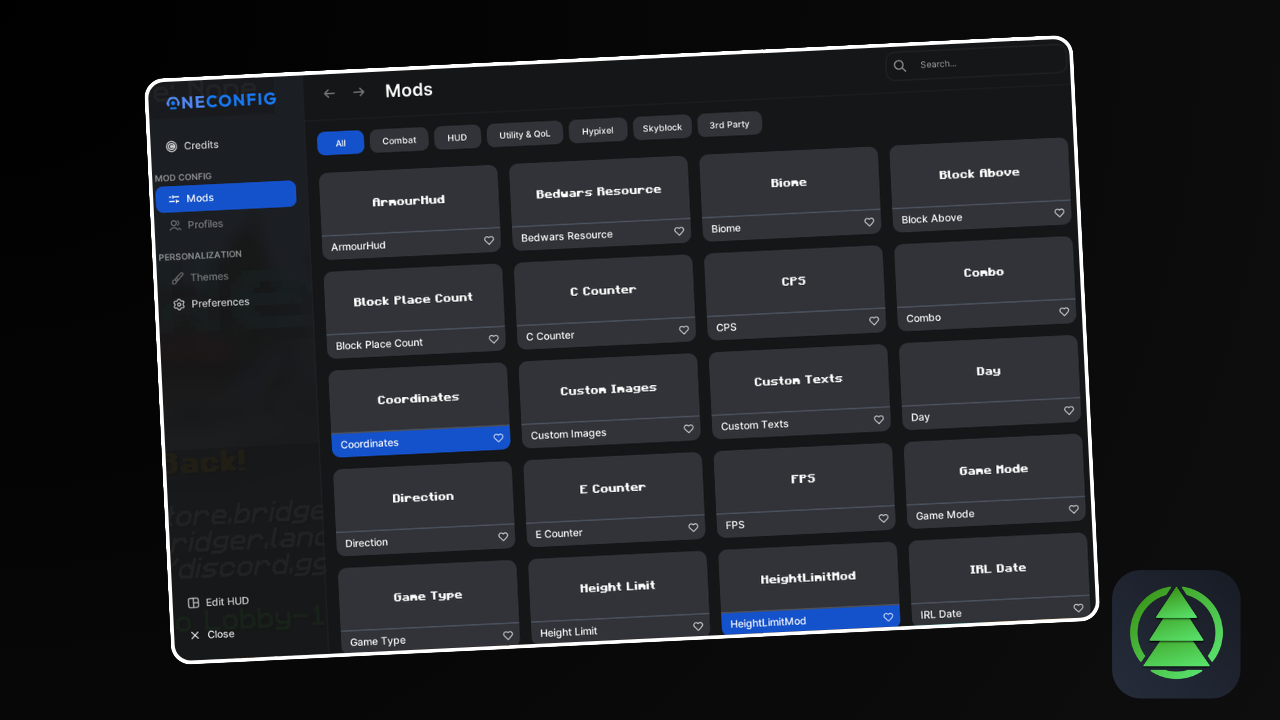
Mod Configuration Menu Just Like Lunar Or Feather Client!

Pre-Loaded Servers!

Pre-Loaded Resource Packs!

See Your Keystrokes!
And More!
Download ASMR Sounds For YOUR Next Bedwars Game!
🛌 BEDWARS EDITION! 🛌
Credit To Better Bedwars
Credit to Better Bedwars! Feel free to check out the pack here! https://modrinth.com/resourcepack/betterbedwars
How to Install Everest Client (Modpack)
Everest Client by CapTommy is verified for Forge across Minecraft versions 1.8.9 (latest release: 2.0.4, file size: 19.8 MB). Follow the steps below to install it safely from ModCraft.tv:
- Click the Download button above and select your Minecraft version (1.8.9) and platform (Forge).
- Make sure you have the compatible loader or environment installed for Forge.
- Move the downloaded Everest Client file into your Minecraft
.minecraft/modsfolder and launch the game.
All Versions
+ Add Version


- Updated Mods
- removed some buggy mods
- updated a few mods
- Updated mods
- Added a few new servers!
- There is a bug where it might not launch on the first go, so just restart and it should work normally :)
- Updated Mods
- Essential Mod Has Been Disabled Due to it Crashing you can enable it at your own risk by unlocking the modpack
- Added A Few New Mods
Including:
- Evergreen HUD**