
Description
Gallery
Changelog
Versions
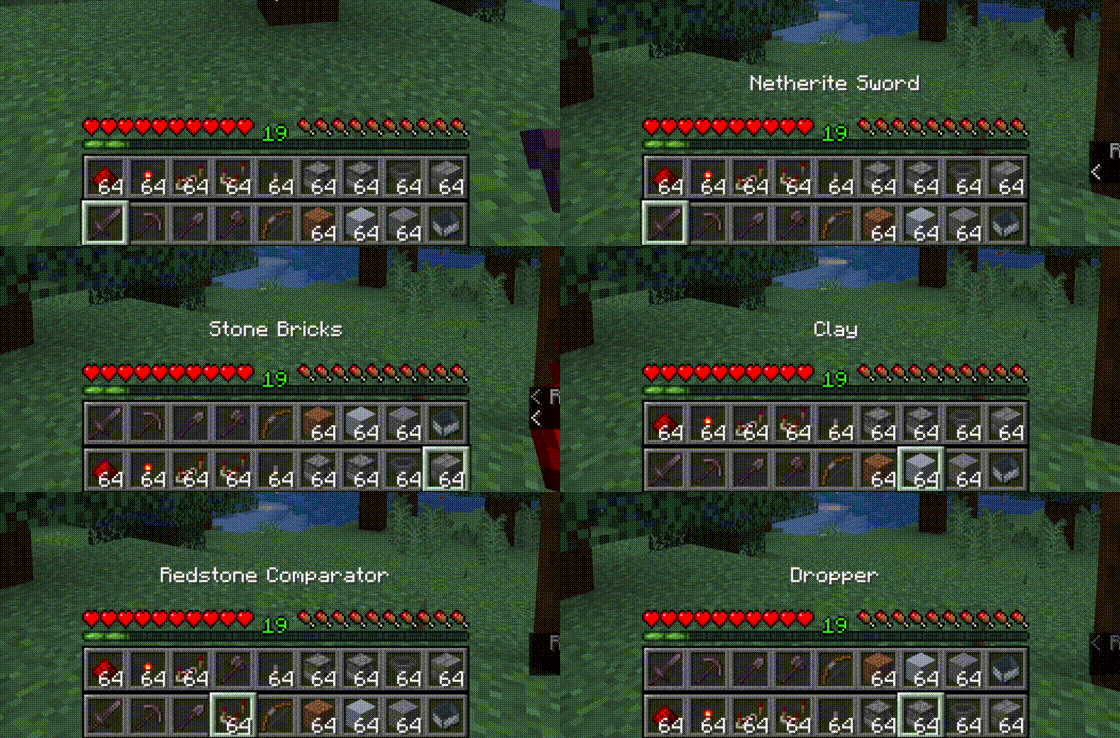
Top bar is the bottom bar of the player's inventory.
- Press R to swap the rows
- Press Shift-R to swap only the items in your hand.
- Press = to disable/enable
Controls are configurable in the standard Minecraft controls settings.
Additional configuration is in the mod's menu page. ModMenu is required for the extra configuration.
This mod is client-only and is compatible with vanilla servers.
Fluent Mode
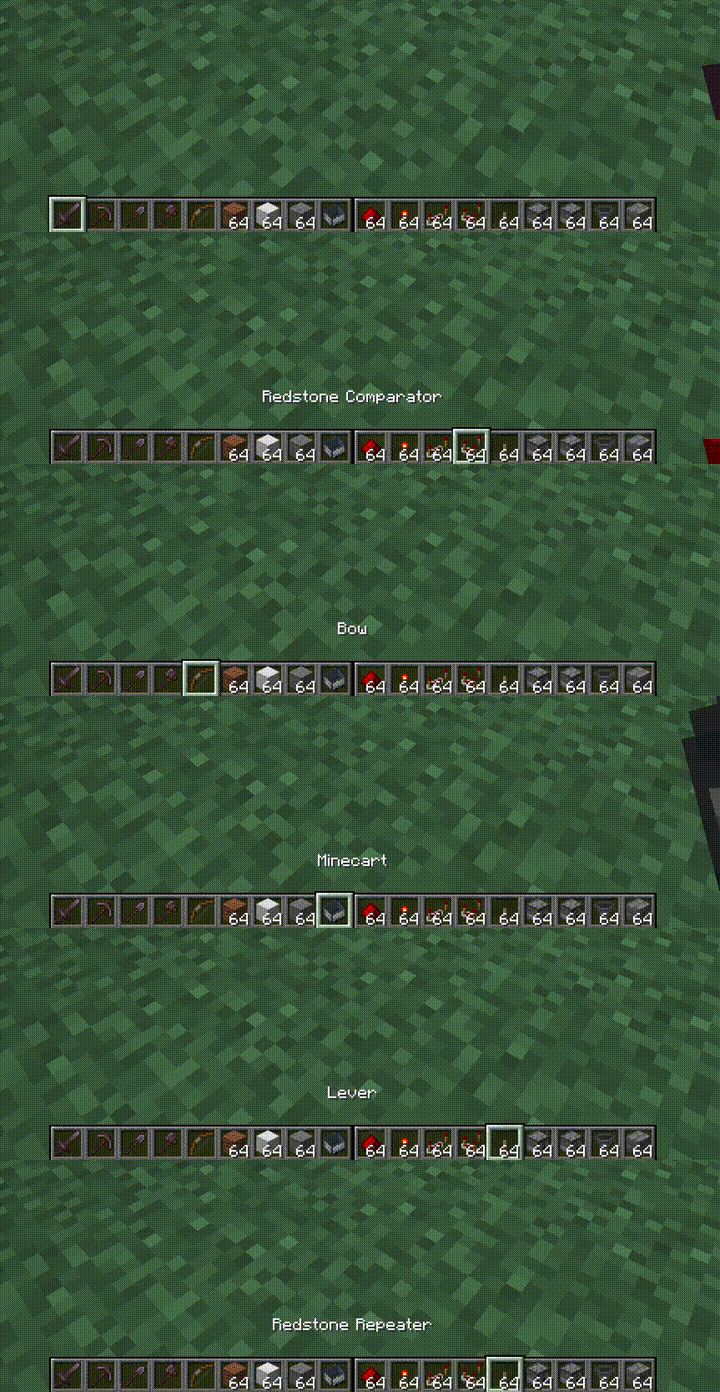
Fluent mode can be enabled in the mod's config menu (using ModMenu). This disabled manual swapping using the R key,
and instead does the swapping transparently as the user scrolls along a double-wide hotbar, created by rendering the
second hotbar alongside the first, rather than on top.
All Versions
+ Add Version

[3.1.2+1.21+neoforge] Extended Hotbar 3.1.2 for 1.21 (NeoForge)
by DenWav on Oct 19, 2025
Download
Fix language file being in the wrong place
[3.1.0+1.21.1+fabric] Extended Hotbar 3.1.0 for 1.21.1
by DenWav on Jul 11, 2025
Download
Much better compatibility with other mods that add HUD elements
[3.0.1+1.21.1+fabric] Extended Hotbar 3.0.1 for 1.21.1
by DenWav on Jul 11, 2025
Download
Fix experience level text not being moved up
[3.1.1+1.21+neoforge] Extended Hotbar 3.1.1 for 1.21 (NeoForge)
by DenWav on Jul 09, 2025
Download
Port to NeoForge, 1.21 and 1.21.1
Currently lacking Fluent mode
Currently lacking Fluent mode
[3.0.0+1.21+fabric] Extended Hotbar 3.0.0 for 1.21
by DenWav on Jul 09, 2025
Download
Port to 1.21 and 1.21.1
[3.0.0+1.20.1+fabric] Extended Hotbar 3.0.0 for 1.20.1
by DenWav on May 12, 2024
Download
New fluent extended hotbar feature, enable in mod menu. Fluent mode shows only a single, double-wide hotbar, rather than manually swapping between a top and bottom hotbar.
Both fluent and swapping modes are still supported, and both are still compatible with vanilla servers.

Both fluent and swapping modes are still supported, and both are still compatible with vanilla servers.

[3.0.0+1.20.4+fabric] Extended Hotbar 3.0.0 for 1.20.4
by DenWav on Dec 31, 2023
Download
New fluent extended hotbar feature, enable in mod menu. Fluent mode shows only a single, double-wide hotbar, rather than manually swapping between a top and bottom hotbar.
Both fluent and swapping modes are still supported, and both are still compatible with vanilla servers.

Both fluent and swapping modes are still supported, and both are still compatible with vanilla servers.

[2.1.0+1.20.4+fabric] Extended Hotbar 2.1.0 for 1.20.4
by DenWav on Dec 29, 2023
Download
Updated for Minecraft 1.20.4
Minimum Fabric loader version now 0.15.0.
Minimum Fabric loader version now 0.15.0.
[2.0.3+1.20.1+fabric] Extended Hotbar 2.0.3 for 1.20.1
by DenWav on Dec 29, 2023
Download
Fixed a mod compatibility issue with the Blur mod
[2.0.2+1.20.1+fabric] Extended Hotbar 2.0.2 for 1.20.1
by DenWav on Aug 11, 2023
Download
- Fixes action bar text not moving up ([#9](https://github.com/DenWav/ExtendedHotbar/issues/9))
- Fixes mount health and jump bars not moving up
[2.0.1+1.20.1+fabric] Extended Hotbar 2.0.1 for 1.20.1
by DenWav on Jun 27, 2023
Download
Updated for MC 1.20.1.


