

Phantom Shapes Mod
The Phantom Shapes Mod for Minecraft introduces a tool for previewing 3D shapes. With this mod, building 3D shapes becomes an ease, thanks to the inclusion of diverse shapes like cubes, spheres, cylinders, or toruses.
Further development and version bumps currently halted due to my lack of free time and many backend changes made by Mojang, requiring further research and multiple rewrites.
If you have any problems or have an idea for a new feature, make an issue on Github.
Features
Shape Variety
- Cubes
- Spheres
- Cylinders
- Arches
- Polygons
- Toruses
Rotating Shapes
Shapes can be rotated in any direction, allowing players to create unique structures with ease. For example, you can rotate a cylinder by 90 degrees in the X axis to create a tunnel.
Intuitive Interface
- A user-friendly interface allows players to easily navigate through the different shape options.
- Convenient controls make shaping and resizing structures a breeze, giving players complete control over their shapes.
- Scrollable inputs allow for precise property adjustments. Hold shift or control to change the value by 10 or 100 respectively.
- Options to change the color and transparency of the shapes or even the size of the blocks themselves.
Compatibility:
If you find any incompatibilities, please let me know.
| Mod | Compatibility |
|---|---|
| Optifine | ❓Unknown |
| Sodium | ✅Compatible |
How to use:
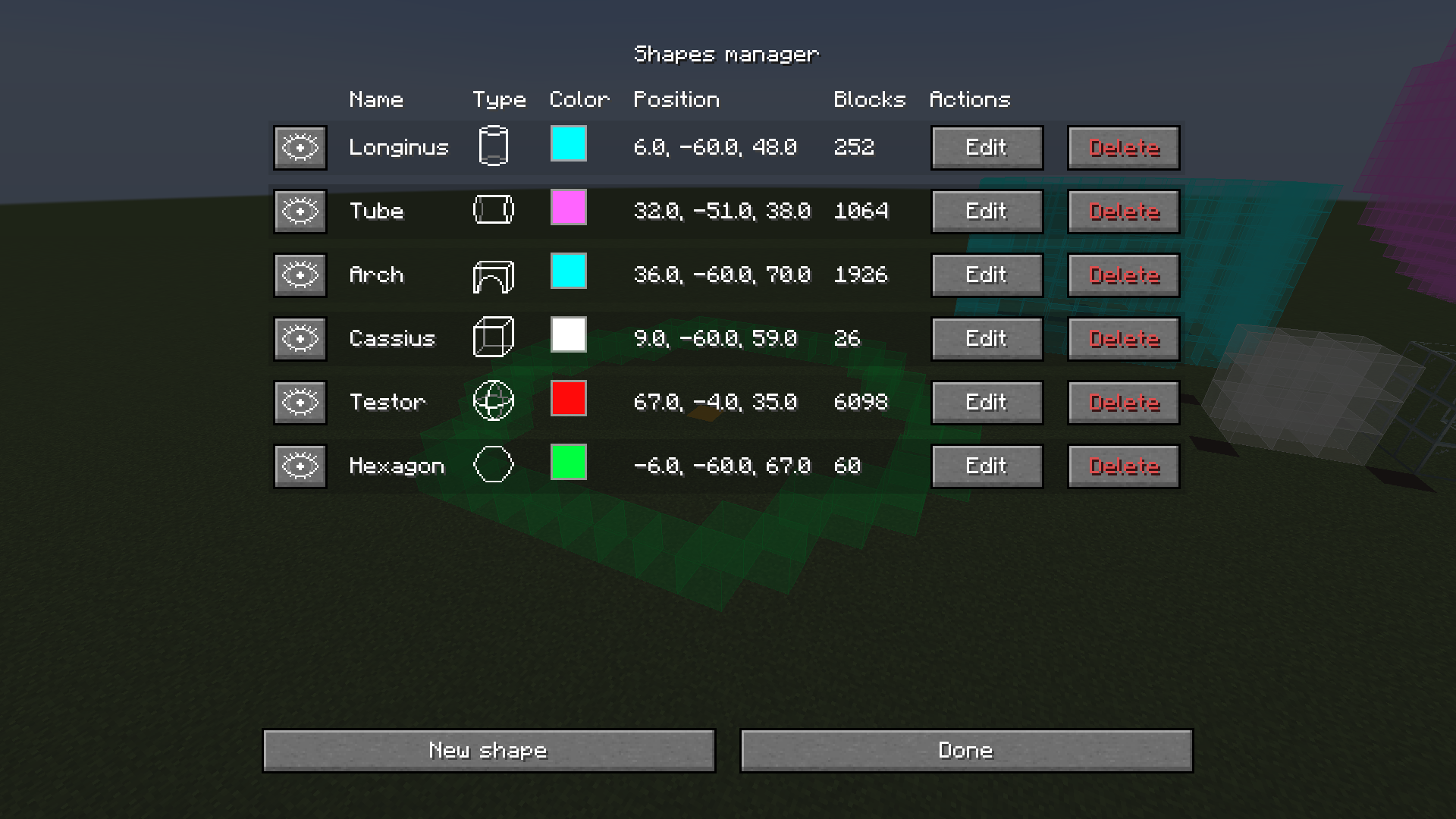
Upon loading into the game simply press K and the shape manager menu will show up.
You can change the keybinds in the controls menu.
From that point, you should be able to use the interface to do anything.
Mod settings can be accessed using the Mod Menu
Required libraries
Special thanks
Special thanks to kayaks00n for making the icons
How to Install PhantomShapes (Mod)
PhantomShapes by SnailMan is verified for Fabric across Minecraft versions 1.20.3, 1.20.4, 1.21, 1.21.1, 1.21.2, 1.21.3, 1.21.4 (latest release: 2.0.1, file size: 143 KB). Follow the steps below to install it safely from ModCraft.tv:
- Click the Download button above and select your Minecraft version (1.20.3, 1.20.4, 1.21, 1.21.1, 1.21.2, 1.21.3, 1.21.4) and platform (Fabric).
- Make sure you have the compatible loader or environment installed for Fabric.
- Move the downloaded PhantomShapes file into your Minecraft
.minecraft/modsfolder and launch the game.
All Versions
+ Add Version


- Now shapes should properly load and unload while playing on multiplayer
- ### New 3 axis rotation system for all shapes
- Removed Tunnel shape, will automatically get replaced by a rotated Cylinder
- ### The Hexagon is now the Polygon, with customizable amount of sides
- Changed the polygon line calculation algorithm for a more accurate one
- ### Added the Torus shape
- Rewrite of the shape editor
- All inputs are now scrollable
- Inputs now have tooltips on hover
- All inputs check their values, preventing future crashes with invalid values
- Added the option to change the size of the phantom blocks
Note: This version won't be backported due to the many changes.
- Fixed a bug where old versions of a sphere would persist [ #7](https://github.com/UltimateDoge5/PhantomShapes/issues/7)
- Dimensions of a cube now can be eddited correctly
- All mod options now load properly and are reflected in the settings ui
- Fixed the blur in the shape list menu
- Even more optimizations to render order updates. May still tweak some update thresholds.
- Shapes now should be visible behind each-other no matter the order they were created.
- Fixed a bug where a shape would disappear from the world after a name change.
- Added a Settings button in the shape menu (no idea why I didn't do it earlier)
- Rendering optimizations.
- Faces of phantom blocks are now properly culled and sorted, here is a before and after!
| Before | After |
| ------------- | ------------- |
| |  |
### Changes
- Fixed a bug with item/block clipping and and disapearing faces [[#6](https://github.com/UltimateDoge5/PhantomShapes/issues/6)].
- Phantom blocks now render on replacable blocks e.g. short grass
- Fixed a bug with item/block clipping and and disapearing faces [[#6](https://github.com/UltimateDoge5/PhantomShapes/issues/6)].
- Phantom blocks now render on replacable blocks e.g. short grass
Bugfixes:
- Fixed a bug where it wasn't possible to change the name of already existing shapes
- Migrated from Minecraft options screen to [YACL](https://modrinth.com/mod/yacl). This has a couple benefits:
- It allows much more flexibility on the backend.
- It looks a lot cleaner.
- Fixes weird issues with Minecraft Options class would be missing for some reason.
- Added sliders for customizing the opacities of phantom blocks
- Added block amounts
- Added option to switch between rendering modes
- Added a warning about overwrite protection being enabled
- ### Added the hexagon shape
- Replaced the rotation slider with a button
- Added a keyboard bind for rerendering all shapes
- Fixed the rendering toggle bind


