## New Features
- Conditional Actions (more info later)
- New Action Types
- Give XP
- Take XP
- Give Effect
- Remove Effect
- A new [Wiki](<https://foxikle.dev/plugins/wiki/customnpcs>)
- A fleshed out API (Learn more [here](<https://github.com/foxikle/customnpcs/wiki>), Javadocs [here](<https://docs.foxikle.dev>))
- A friendly reminder to update the plugin.
- ###### NOTE: This requies the `customnpcs.alert` permission which is a child of the `customnpcs.commands.manage` and `customnpcs.*` permissions
## Bug Fixes
- Fixed typo in `euipment`
- Fixed an error when reloading the plugin
- Fixed the link in /pl pointing you to an old website
- Fixed providing an empty skin in the existing API throwing an error
## Changes
- Actions are now stored in json! The plugin will automatically convert your `npcs.yml` file for you.
- Refactored `Action#serialize()` to `Action#toJson`
- Fixed action display cards not showing all data relating to the action
- Cleaned up action cards to be more readable
- Increased action limit (14 -> 28)
- Changed default server name in the `SEND_TO_SERVER` action ("server to be sent to" -> "server name")
- Bump config version to 2
## Bugs and issues
Please report bugs on [GitHub](<https://github.com/Foxikle/CustomNPCs/issues/new/choose>).
***
# Conditional Actions
To create a conditional action, start by editing an action.
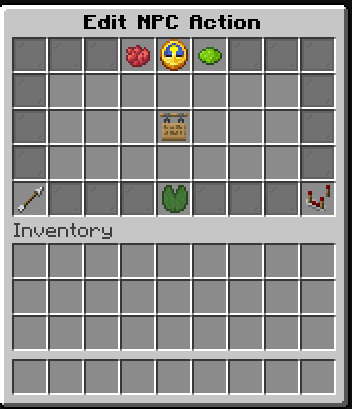
You may notice a new item in the menu, the comparator. Clicking this will bring up an option to edit the action's conditions.
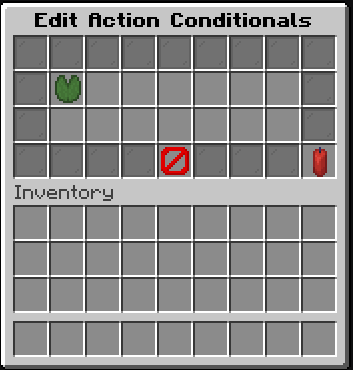
You will notice the candle in the bottom right of the menu. This is how you toggle between matching ALL conditions vs matching ONE condition. From there, you can add a new condition by clicking on the lily pad.

There are two types of conditions. Numeric conditions compare things with numeric values. Logical conditions compare other things.
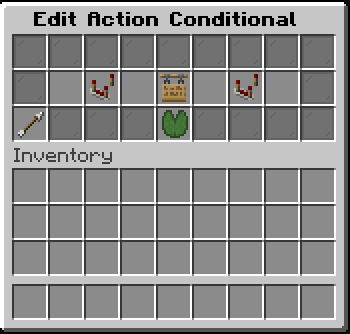
Then, finally, you can edit the conditions properties.
This update was probably the most fun to work on, and I appreciate each and every one of you who chooses my plugin to use. It makes my day knowing that you think that my plugin is worth using. Thank you for allowing me to do this, it means the world.
~ Foxikle
Developer information
Projects on Modrinth are automatically available through a Maven repository for use with JVM build tools such as Gradle.
maven { name = "Modrinth"; url = "https://api.modrinth.com/maven" }