## Tracking and location backend rework + a lot of bugfixes
### Major changes and features
* recoded the location backend
* '/dest set x y z dimension' no longer converts the destination, now have to add 'convert' to the end to do so
* customizable max 'X Y Z'
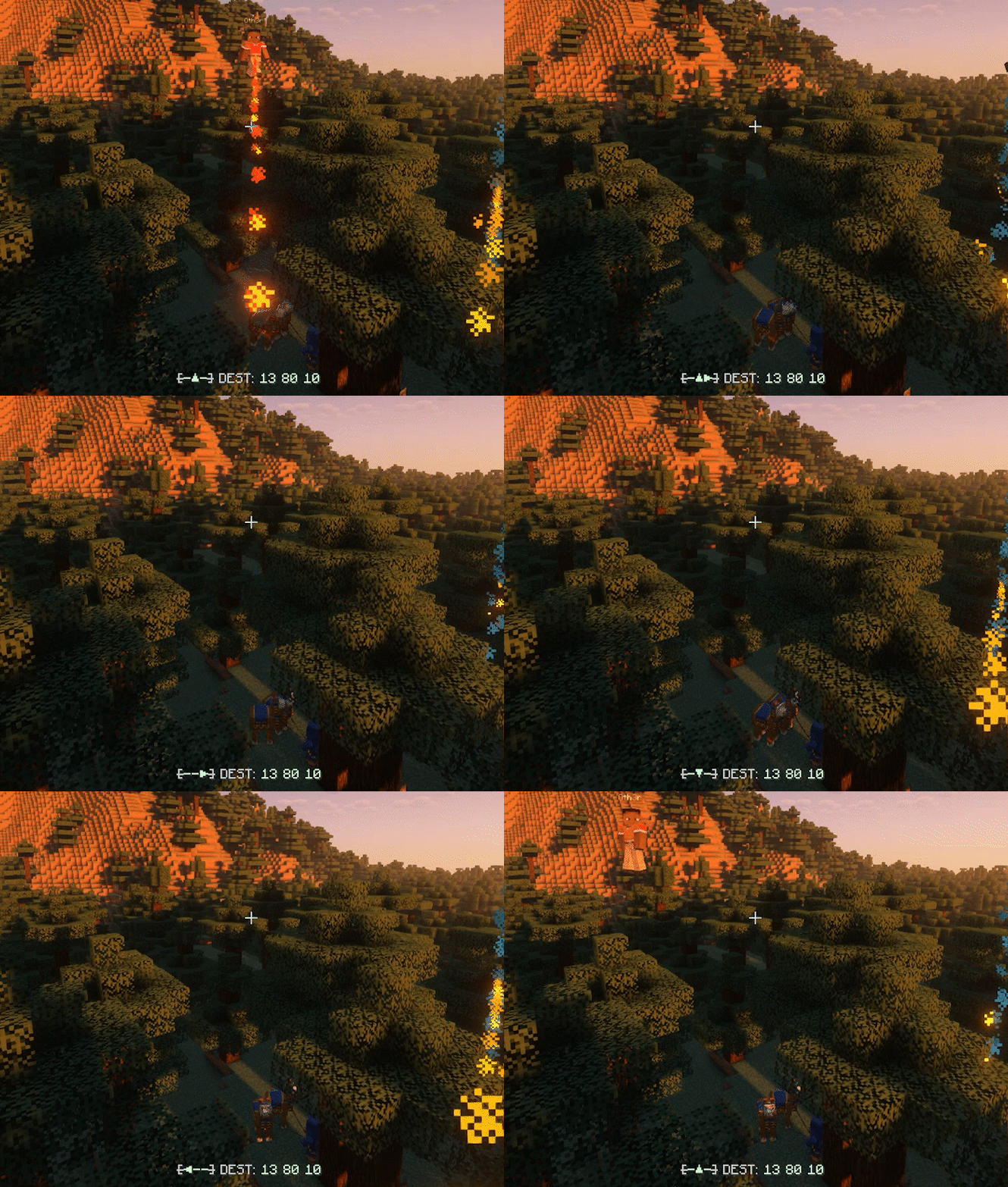
* Reworked tracking system
* tracking is now more vague, no longer displaying the player's exact location on the HUD
* doesn't use the destination system to track, can now simultaneously have a destination and track someone at the same time
* new 'tracking' module, replaces the 'compass' module
* new particles to tracking target
* custom one time msgs for when tracked is offline or in a different dimension
* '/dest track .clear' to clear tracker
* uses UUID to track on online servers, so changing names won't evade the tracker
* AutoConvert
* auto converts the dimension or tracker when possible
* clicking on the version number in '/dirhud' links to the changelog
* added a server shutdown procedure
* destination suspending removed
### New config options
* max-xz: sets the max XZ for all locations in directionhud
* max-y: sets the max Y for all location in directionhud
* social-commands: toggles all social commands in directionhud (/dest send, /dest track)
* tracking: tracking module default state
* autoconvert: AutoConvert default state
### Fixes & changes
* fixed the playerdata updater again
* playerdata v1.3 -> 1.4
* config v1.1 -> 1.2
* finally using a JSON library again
* fixed config loading
* fixed singleplayer config name
* fixed the 'TRACK' button showing up as 'SEND'
* fixed convert button not showing up when changing dimension with AutoClear off
* fixed set button not showing up in '/dest send' when destination saving is turned off
* fixed '/dest send' usage not correctly showing how to use the command
* fixed '/directionhud reload' command (now fully reloads & works 100% on console and playerside)
* fixed '/directionhud reload' not working correctly
* fixed '/dest send' suggester
Optional dependencies
YetAnotherConfigLib (YACL)
Any compatible version
Mod Menu
Any compatible version
Developer information
Projects on Modrinth are automatically available through a Maven repository for use with JVM build tools such as Gradle.
maven { name = "Modrinth"; url = "https://api.modrinth.com/maven" }